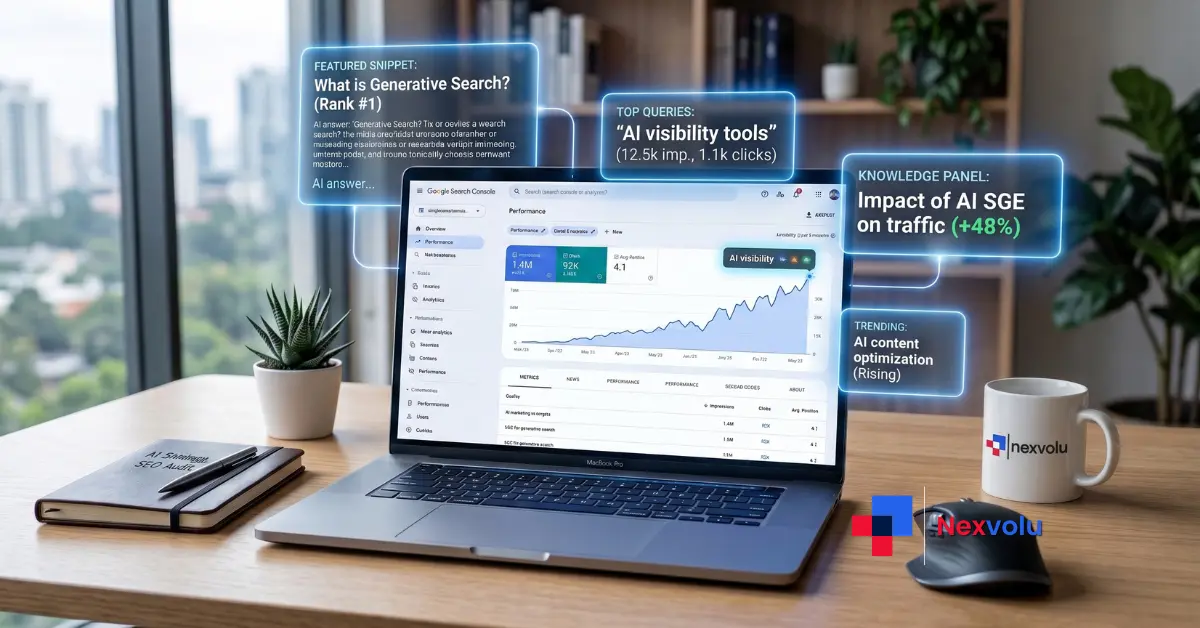
Here’s the uncomfortable truth most marketers keep dodging: the position-one blue link isn’t the prize anymore. Being the sentence an AI quotes is. And for the first time, Google is handing you the data to prove whether that’s happening – through the new Search Console generative AI report.
If your impressions have been creeping up while your clicks flatline, this report is the missing piece you’ve been guessing about for a year. It finally separates your AI visibility from everything else.
But there’s a catch, and it’s a big one. The data only reaches back to May 18, 2026. No deeper archive is coming. Whatever baseline you capture now is the only history you’ll ever get and most site owners are sleeping right through the window to grab it.
On this page
- What is the Search Console generative AI report?
- Why being the source AI quotes is the new #1 ranking
- How to open the Search Console generative AI report
- How to export your baseline before the data changes
- How to read impressions by page
- 5 content moves that increase AI visibility
- What the Search Console generative AI report still doesn’t show
- Nexvolu’s Verdict
- Frequently Asked Questions
What is the Search Console generative AI report?
The Search Console generative AI report is a dedicated view that shows how often your pages appear inside Google’s AI features – AI Overviews and AI Mode on Search, plus generative AI in Discover. According to Google’s Search Central blog (June 3, 2026), it isolates your impressions from those AI surfaces so you can finally track AI visibility on its own.
Until this launch, you were flying blind. You could sense that AI Overviews were pulling from your content, but you had no native way to attribute it, break it down by page, or benchmark it over time. That gap just closed – partially.
The report lives in two flavors: one for Search (AI Overviews and AI Mode) and a companion for Discover. Both are dedicated views layered on the same dataset that feeds your main performance report, not a separate silo. So your AI impressions still roll up into your overall numbers – you just get a clean cut of them now.
Why being the source AI quotes is the new #1 ranking
Ranking first used to mean winning the click. That math is breaking. When an AI Overview answers the question on the page, the user often never scrolls to your link let alone clicks it. The visibility still happened. The click didn’t.
That’s the shift. Appearing inside the AI answer is becoming the real estate that matters, and it behaves nothing like a classic ranking. AI Overviews now reach roughly 2 billion monthly users, and industry trackers report AI answers surfacing in anywhere from a quarter to nearly half of searches, depending on the study and vertical. Being the cited source in those answers is the new front row.
Here’s why the FOMO is justified: your competitors who baseline early will know exactly which pages earn AI impressions and which get ignored. You’ll be guessing. In a channel this young, a three-month head start on the data is a real moat. Our ongoing coverage of how AI Overviews are reshaping search keeps circling back to one theme the winners treat AI visibility as a metric to manage, not a mystery to shrug at.
💡 Pro tip: Impressions in this report are not the same as “my brand got mentioned by ChatGPT.” Google counts an impression only when a link to your page is shown in an AI answer. More on that below it changes how you read every number.
How to open the Search Console generative AI report
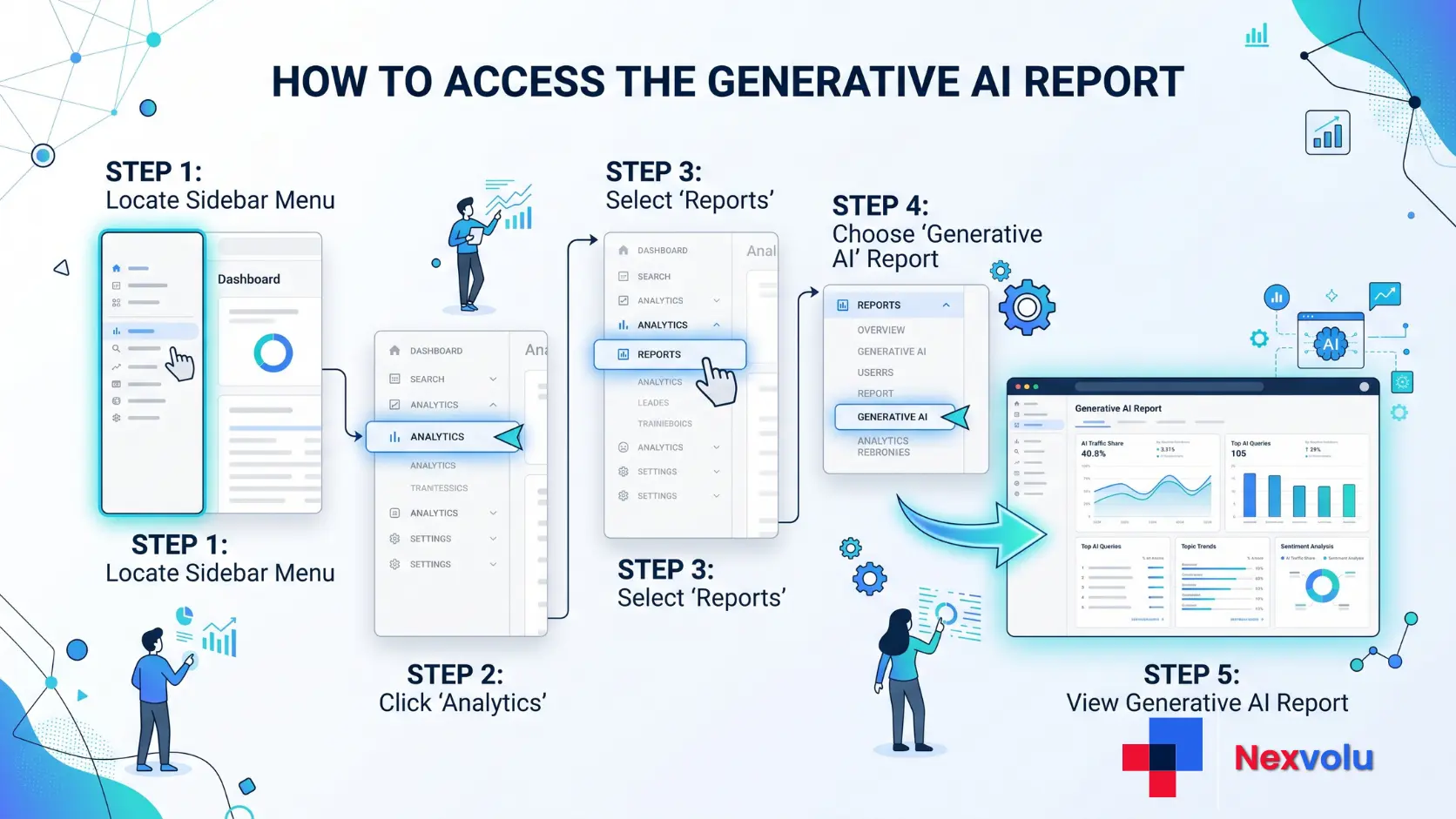
Getting to the report takes about thirty seconds – if your property is in the rollout. Here’s the path.
- Open Search Console and pick the property you want to check.
- In the left sidebar, click Performance.
- Look for the Search results and Discover performance views.
- Open the dedicated Generative AI view (Search) and its Discover companion.
- Set your date range and start reading impressions by page, country, and device.
If you don’t see it yet, you’re not broken. Google is rolling the report out to a subset of websites – reportedly UK-first – and expanding from there. Properties can also be excluded if they have too few AI impressions to report. Check back weekly; access is arriving in waves.
While you’re in Settings, you’ll also spot the new Search generative AI control, a toggle that lets eligible site owners manage inclusion in AI Overviews, AI Mode, and generative Discover. It rolled out alongside the report, driven partly by a UK regulatory ruling. You don’t have to touch it but know it exists before someone on your team flips it by accident.
How to export your baseline before the data changes
This is the step everyone skips and later regrets. The report’s history starts on May 18, 2026, and it won’t back-fill. A clean baseline beats no baseline, so capture it the day you get access.
Here’s the simple routine I’d run on day one and then monthly:
- Open the Generative AI view and set the date range to the full available window (starting May 18, 2026).
- Click the Export button (top right) and pull the data to Google Sheets or CSV.
- Export the Pages tab separately – this is your impressions-by-page gold.
- Screenshot the trend chart and the top-pages list. Date the file name.
- Repeat on the 1st of every month. Stack the exports in one folder.
Why bother? Because trends only mean something against a starting point. The owner who screenshots the numbers on day one and checks back monthly will understand their AI visibility far better than the one waiting for a year of pretty history that will never arrive.
⚠️ Watch out: Don’t rely on Search Console’s default 3-month window to “remember” this for you. Data retention and the AI report’s early-beta quirks mean your own exported snapshots are the only baseline you fully control. Export first, analyze second.
Keep your naming consistent – something like nexvolu-genai-pages-2026-07.csv – so month-over-month comparison takes minutes, not an afternoon. This habit is the backbone of any real answer engine optimization program.
How to read impressions by page
Raw impressions mean little until you compare them against your normal Search impressions. The insight lives in the ratio between the two how much of a page’s visibility now comes from AI surfaces versus classic links. Here’s how to interpret the common patterns.
| What you see | What it likely means | What to do |
|---|---|---|
| High AI impressions, high Search impressions | A strong, well-cited page pulling double duty | Protect it – refresh facts, keep it current |
| High AI impressions, low classic clicks | AI is answering the query without the click | Add depth AI can’t summarize; strengthen the CTA |
| Low AI impressions, high Search rank | Ranks well but rarely cited in AI answers | Restructure into extractable answer blocks |
| Rising AI impressions on a new page | Early AI traction worth compounding | Expand the cluster; add internal links |
| Falling AI impressions month over month | Content going stale or losing citations | Refresh, re-verify stats, re-request indexing |
One rule keeps you honest: an impression fires only when a link to your page shows inside an AI Overview or AI Mode response. An unlinked brand mention doesn’t count. And if the same URL appears in both an AI Overview and the classic blue links on one results page, Google counts it once, not twice. That’s why your AI numbers may look smaller than the hype suggested – they’re stricter than they sound.
User-activated citations add another wrinkle. If a link only appears after someone expands a “show more” section in the AI answer, the impression is logged only once that action happens. So low-visibility citations under-report by design. Read the trend, not any single day.
5 content moves that increase AI visibility
You can’t force Google to cite you. You can make your pages the easiest, safest thing to quote. These five moves consistently move the needle.
- Front-load a 40-60 word answer under every question H2. Write the direct answer in the first two sentences, self-contained, starting with the subject. This is the exact shape AI engines lift and attribute.
- Pair every stat with its consequence. State the number, then what it means. “AI answers reach ~2 billion users monthly, which means an uncited page is invisible to a fast-growing slice of demand.” Consequence framing gets quoted.
- Add extractable formats. Comparison tables, tight bullet lists, and numbered steps get cited far more than dense prose. One clean table per key section earns its keep.
- Own one original data point. A small survey, a tested result, or a first-party observation gives AI something it can’t find elsewhere and unique stats are citation magnets.
- Keep entities consistent and pages fresh. Use one exact name per concept throughout, show a visible last-updated date, and refresh on a cadence. AI Overviews favor current, unambiguous sources.
Share this with a marketer who’s still measuring success by rankings alone – it reframes the whole 2026 playbook. For the deeper mechanics, see Google’s AI Mode explained and the rest of Nexvolu’s AI marketing coverage.

What the Search Console generative AI report still doesn’t show
Honesty first: this report is a beginning, not the finished picture. It gives you impressions, pages, countries, devices, and dates. It does not give you clicks, click-through rate, or the queries that triggered your AI citations. Google has said more metrics may come, with no timeline.
That missing query data stings the most. You can see that a page earns AI impressions, but not which questions put it there. For now, bridge the gap with your classic Performance report: mine the queries a page already ranks for, and assume the strongest, most answer-shaped ones are feeding your AI impressions too. It’s inference, not proof but it’s a workable map until Google fills in the rest.
Nexvolu’s Verdict
The verdict: The Search Console generative AI report is the most important measurement upgrade in years – limited today, but the baseline you capture now will pay off for the rest of the AI-search era.
Best for: SEOs, content teams, and site owners who want to manage AI visibility as a real channel.
Skip it if: you’re waiting for perfect click and query data before you’ll act – you’ll lose your baseline window.
Pros: First native AI-visibility data ever · clean page/country/device breakdowns · feeds both Search and Discover strategy.
Cons: No clicks, CTR, or query data yet · limited beta rollout · history only from May 18, 2026.
Standout: The impression-counting rules – link-only, deduped against blue links, delayed for user-activated citations – mean the numbers are stricter (and more trustworthy) than the AI-visibility hype implies. Most coverage misses this entirely.
Nexvolu Editorial Score: 8/10 – (editorial assessment) a genuinely useful, strategy-shifting tool held back only by the metrics Google hasn’t shipped yet.
Frequently Asked Questions
When did the Search Console generative AI report launch?
Google announced the Search Console generative AI report on June 3, 2026, via the Search Central blog. It arrived as dedicated views for Search (AI Overviews and AI Mode) and Discover, layered onto existing performance data rather than shipped as a separate dataset. The rollout is gradual: Google is releasing it to a subset of websites first, reportedly starting in the UK, to gather feedback before wider availability. So the feature is officially live, but not yet visible in every property. If your dashboard hasn’t changed, that’s expected during the phased rollout.
Why can’t I see the Search Console generative AI report yet?
The generative AI report is rolling out to a limited subset of websites, so most properties simply aren’t in the test group yet. Google has expanded access in waves since the June 3, 2026 launch, reportedly beginning with UK-based owners. Beyond the rollout, a property may not qualify if it has too few impressions in AI features to report on, or if it’s excluded from Google’s generative AI experiences. There’s nothing to fix on your end check the Performance section weekly, keep publishing citation-friendly content, and access should reach you as Google widens the beta.
Does the Search Console generative AI report show clicks or just impressions?
The generative AI report shows impressions only it does not include clicks, click-through rate, or the search queries behind them. You can see how often your pages appear in AI answers, broken down by page, country, device, and date, but not how many people clicked through. Google has indicated more metrics may follow, without committing to a timeline. In practice, pair this report with your standard Performance report: use the queries a page already ranks for to infer which questions likely trigger its AI impressions until Google adds native query data.
How far back does the Search Console generative AI report data go?
The report’s data history begins on May 18, 2026, and it does not back-fill earlier periods. That means everyone starts from the same fresh baseline the day they gain access there’s no years-deep archive to inherit. Because of this, exporting and screenshotting your numbers early matters more than usual. A clean baseline captured now beats waiting months and wondering what your trend used to be. Save monthly CSV exports of the Pages tab so you can measure real month-over-month movement instead of relying on the tool’s short default window.
How is an impression counted in AI Overviews?
An impression is counted when a link to a page on your site is actually shown inside an AI Overview or AI Mode response, according to Google’s John Mueller (June 2026). An unlinked brand mention or passing reference does not earn an impression. If the same URL appears in both an AI Overview and the classic blue links on one results page, it counts once, not twice. And when a citation only appears after a user expands a section, the impression logs only after that action – so lower-visibility citations naturally under-report.
Can I opt out of Google’s generative AI features?
Eligible site owners can manage inclusion in Google’s generative AI features using the new Search generative AI control, found under Settings in Search Console. It lets you influence whether your content is used in AI Overviews, AI Mode, and generative AI features in Discover. The control rolled out alongside the report, driven partly by a UK regulatory ruling. Think carefully before opting out: removing yourself from AI features also removes you from a fast-growing visibility surface. For most sites, earning citations beats hiding from them but the choice is finally yours.
Conclusion
The scoreboard for search has quietly changed. Impressions inside AI answers now tell you what rankings alone can’t, and the Search Console generative AI report is your first real window into that world.
Two takeaways worth acting on today: export your baseline before the data window matters, and restructure your key pages into answer-shaped blocks AI can quote. Do both and you’ll be managing AI visibility while competitors are still debating whether it’s real.
So here’s the question to sit with – if being the source AI quotes is the new position one, which of your pages is actually earning that spot right now? Drop your baseline surprises in the comments.
References
- Introducing Search Generative AI performance reports in Search Console – Google Search Central Blog (June 3, 2026)
- Generative AI performance report (Search) – Search Console Help
- Search generative AI control – Search Console Help
- Google’s Mueller Explains How AI Search Impressions Get Counted – Search Engine Journal
2 thoughts on “Search Console Generative AI Report: AI Visibility 2026”