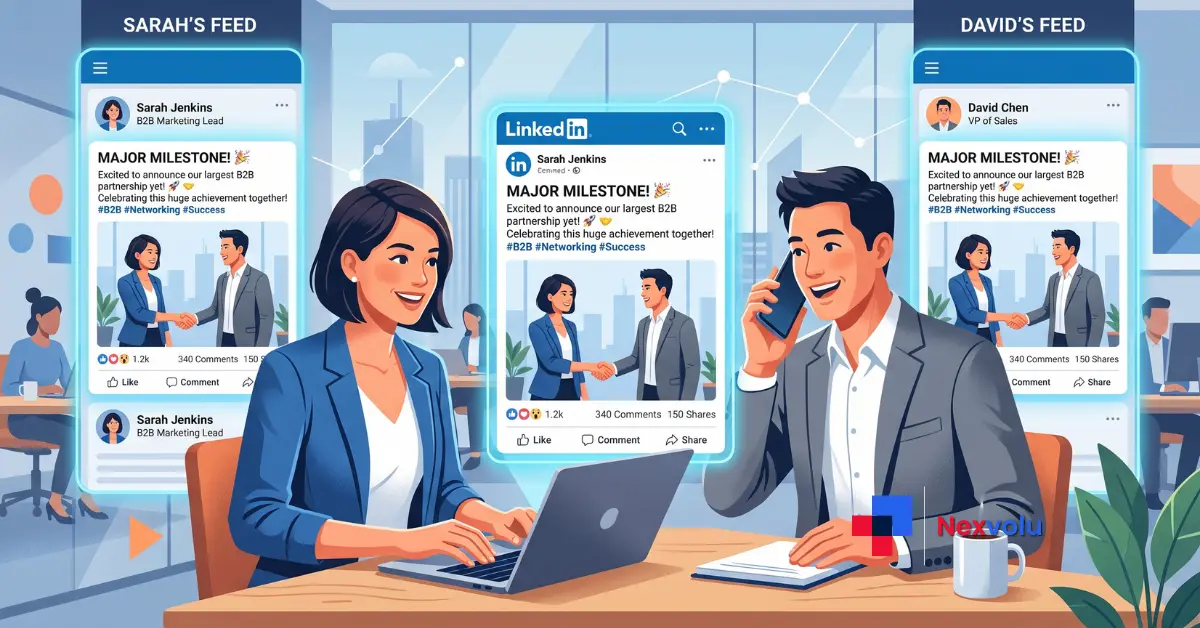
Your competitor’s audience just became reachable natively, and without spending a cent on ads. That’s the quiet bombshell inside LinkedIn Collaborative Posts, the feature LinkedIn began testing with creators and brands at Cannes Lions in June 2026. It lets a person and a company page co-author one post, share a single byline, and land that post in everyone’s feed at the same time.
Most B2B teams will file this under “nice, we’ll try it later.” But that’s a costly mistake. The teams building a playbook now are the ones who’ll own the early-adopter reach before the feature goes fully mainstream.
Instead, this guide skips the one-line news recap. You’ll get how the feature actually works, the co-marketing use cases that fit B2B, the reach math that explains why two bylines beat one, and how the format slots into LinkedIn’s 2026 authentic-engagement algorithm. So let’s get into it.
Table of Contents
- What are they? A quick definition
- How the feature actually works
- The reach math: why two bylines beat one
- Best B2B co-marketing use cases
- How they fit LinkedIn’s 2026 algorithm
- Co-authoring vs tagging vs older Articles
- How to create one, step by step
- Nexvolu’s Verdict
- Frequently Asked Questions
What Are LinkedIn Collaborative Posts?
⚡ LinkedIn Collaborative Posts are single posts co-authored by up to five people or company pages that share one byline. Every collaborator’s name appears at the top, and the post publishes to each of their audiences at once turning one piece of content into pooled reach across several networks instead of a single feed.
If you’ve used collab posts on Instagram, the shape will feel familiar. This is LinkedIn’s professional version, and the twist that matters for B2B is that company pages can be collaborators too. So a brand and a trusted individual can share the credit on the same post, and it shows up in both networks natively, not bolted on with a tag.
One quick clarification, because the names trip people up: this isn’t LinkedIn’s older Collaborative Articles feature (the AI-prompted explainers you were invited to “add your perspective” to). Those are being retired. Collaborative Posts are a brand-new, creator-controlled format. LinkedIn confirmed the test at Cannes Lions and said a wider rollout would follow over the coming months, as Social Media Today reported.
How LinkedIn Collaborative Posts Actually Work
Notably, LinkedIn kept the mechanics simple, which is part of the appeal. First, you start a post as usual, open the composer settings, and choose “Add collaborators.” From there you invite up to five people or company pages. Once they accept, their names join the byline and the post goes live across every collaborator’s audience.
In practice, a few rules shape how you’ll use it:
- Public only. Collaborative posts must be set to public, so they’re built for reach, not private updates.
- Up to five collaborators. That’s the hard cap per post.
- Format support. It works for text posts, single images, and multi-image posts.
- One editor. Only the person who created the post can edit it or manage collaborators.
- Easy exit. Collaborators can remove themselves at any time.
Ultimately, the strategic shift hides in that last set of rules. Because a page can co-author, and only the creator controls the copy, you get co-branded content that reads as genuine partnership while one team still owns the final message.
The Reach Math: Why Two Bylines Beat One
Now, here’s the part every “LinkedIn just launched a feature” post skips: the actual math of why this works.
Of course, follower count is the obvious story. Pool two audiences and you tap more people. But that’s not where the real gain lives. LinkedIn’s 2026 distribution is interest-based the algorithm decides how far a post travels based on early engagement signals, then pushes it to relevant non-followers well beyond either network.
For example, picture an illustrative scenario (numbers shown for illustration, not measured results):
| Approach | Starting audiences | First-hour engagement | Likely algorithmic outcome |
|---|---|---|---|
| Two separate solo posts | Split across two feeds | Each starts cold, competing | Each fights the feed alone; weaker signal |
| One collaborative post | Both feeds at once | Likes, comments, saves combined | Stronger early signal → wider interest-based push |
In short, the unlock is that combined first-hour engagement. When both audiences react to the same post in the same window, it crosses the algorithm’s “this is worth spreading” threshold faster. And saves which reportedly drive roughly five times the reach of a like count once toward one strong post instead of being split across two weak ones.
That’s the reach math competitors’ one-line news blurbs never bother to explain. It’s also the reason to plan collaborative posts deliberately instead of firing off two solo posts and hoping.
Best B2B Co-Marketing Use Cases
Of course, not every post should be collaborative. These are the plays where sharing a byline earns its keep:
- Co-branded launches. Put the partner and the brand on a product or integration announcement so it reads as shared work, not a handoff.
- Event and webinar co-hosts. Co-author the promo with your speaker or partner; both audiences see it, both help fill the room.
- Customer spotlights. Co-author a case study post with the customer whose story you’re telling – it lands harder from both of you than from the brand alone.
- Founder + company page thought leadership. Native employee advocacy: pair a founder’s reach with the page’s authority in a single post.
- Partnership and integration news. Two brands, one byline – the credibility transfers both ways.
- Analyst or creator collaborations. Borrow a trusted niche voice to reach a focused, high-value audience.
In the end, the thread running through all six is simple: narrow distribution with co-signed credibility beats wide distribution with no attribution.
📌 Save this guide so your team has the co-marketing playbook ready the moment the feature hits your account.
How They Fit LinkedIn’s 2026 Algorithm
Clearly, the timing isn’t an accident. LinkedIn’s 2026 algorithm rewards exactly what collaborative posts produce.
Reach is down platform-wide – views fell roughly 50% and engagement about 25% in 2026 – so every reach advantage matters more. Three shifts make the format a strong fit.
Interest-based distribution. Posts now reach people interested in the topic, not just followers. A collaborative post’s pooled early engagement tells the algorithm the topic resonates, widening that interest-based push.
Deep signals over vanity metrics. Saves and thoughtful comments beat likes; a save can drive around five times the reach of a like. Co-signed content from two trusted names tends to earn more of those deep signals.
Authenticity and dwell time. LinkedIn is cracking down on engagement bait and rewarding content people actually read. A genuine co-author relationship reads as authentic and holds attention – the opposite of generic filler.
Finally, two more practical fits seal it. Personal profiles earn roughly eight times the engagement of company pages, so pairing a page with a person is a reach cheat code. And because the algorithm penalizes posting twice in 24 hours – up to a 20% reach hit – one collaborative post beats two competing solo posts.
Send this to your social lead – the reach math alone is worth a five-minute team huddle.
Collaborative Posts vs Tagging vs Collaborative Articles
| Feature | What it does | Reach effect | Attribution |
|---|---|---|---|
| Collaborative Posts | Up to 5 co-authors share one post | Publishes to every collaborator’s feed | Equal, shared byline |
| Tagging / mentioning | Names others inside your post | Stays in your feed; may notify tagged users | You own the post |
| Collaborative Articles | AI-prompted community knowledge pieces (being retired) | LinkedIn-controlled distribution | Contributor badge only |
In contrast, tagging asks someone to notice you. A collaborative post, meanwhile, makes them a co-owner. That’s the leap.
How to Create a LinkedIn Collaborative Post

- Start a new post from your profile or page composer.
- Open the composer’s settings or options menu.
- Select “Add collaborators.”
- Invite up to five people or company pages.
- Confirm the post is set to public (required).
- Publish once your collaborators accept the invite.
Keep the creator as your lead author, since only they can edit the post afterward. Align on the copy before you hit publish – there’s no group editing once it’s live. Full steps are in LinkedIn’s official help documentation.
Nexvolu’s Verdict
The verdict: LinkedIn Collaborative Posts are the most useful organic B2B reach feature LinkedIn has shipped in years – if you have partners worth co-signing with.
Best for: B2B teams with partners, engaged employees, or customers willing to co-author.
Skip it if: you’re a solo brand with no collaborators and no partner network yet.
Pros: Pools two audiences and their engagement into one post · lets company pages borrow personal-profile reach · fits 2026’s interest-based, authenticity-first algorithm.
Cons: Only the creator can edit, so misaligned partners cause friction · still rolling out, so access is uneven · reach gains depend entirely on picking genuinely relevant collaborators.
Standout: The real edge isn’t double the followers – it’s the combined first-hour engagement signal that decides how far the post travels beyond both networks.
Nexvolu Editorial Score: 8.5/10 – a genuinely strategic unlock for B2B, held back only by its limited rollout and its dependence on having the right partners. (Editorial score – Nexvolu’s opinion based on researched facts, not hands-on testing.)
Frequently Asked Questions
How many collaborators can you add to a LinkedIn Collaborative Post?
You can add up to five collaborators to a single LinkedIn Collaborative Post, and each one can be an individual member or a company page. Every accepted collaborator appears in the shared byline, and the post is distributed to all of their audiences at once.
In practice, more isn’t always better. Each collaborator widens potential reach, but it also splits the credit and can dilute the message if partners aren’t tightly aligned. Still, for most B2B use cases, two or three collaborators – say a subject-matter expert, the company page, and one partner brand – hit the sweet spot. Only the original creator can edit the post or manage collaborators, so pick a lead author who owns the final copy. Collaborators can remove themselves at any time if the post drifts off-message.
Are LinkedIn Collaborative Posts the same as Collaborative Articles?
No. LinkedIn Collaborative Posts are co-authored feed posts with a shared byline, while Collaborative Articles were AI-prompted knowledge pieces the community added perspectives to. LinkedIn is retiring parts of Collaborative Articles, whereas Collaborative Posts are a new, separate creation format.
The confusion is understandable because the names are almost identical. Collaborative Articles asked members to “add your perspective” to an AI-generated topic in exchange for a skill badge; they were never a personal publishing tool. Collaborative Posts flip that model – you choose who co-authors with you, you control the message, and the post appears natively in every collaborator’s feed. One was about contributing to LinkedIn’s content; the other is about co-owning your own. An old Collaborative Articles badge has no bearing on how Collaborative Posts work.
Can a company page and an individual co-author a post?
Yes. A core design goal of LinkedIn Collaborative Posts is letting a company page and an individual co-author the same post. Both names sit in the byline, and the post reaches the page’s followers and the person’s network simultaneously.
This is the feature’s biggest B2B unlock. Company pages historically earn a fraction of the organic engagement that personal profiles do – by some 2026 estimates, personal profiles see roughly eight times the engagement of pages. Pairing a page with a well-followed employee or founder lets the brand piggyback on that stronger personal reach while keeping official attribution. The result is co-branded content that feels native rather than corporate. Announcements, product launches, and customer stories all benefit from this page-plus-person pairing.
Do LinkedIn Collaborative Posts help with B2B reach?
Collaborative Posts help B2B reach by pooling two or more audiences and their early engagement into one post. Because LinkedIn’s 2026 algorithm distributes content by interest, a stronger first-hour engagement signal pushes the post to more relevant non-followers across both networks.
Still, the mechanism matters more than the follower math. LinkedIn now surfaces posts to people likely to care about the topic, not just to your followers. When two aligned collaborators post together, the combined likes, comments, and – critically – saves in the first hour tell the algorithm the content is worth spreading. Saves reportedly drive around five times the reach of a like. So a single collaborative post with pooled early signals often travels further than two separate posts fighting the feed alone.
When will LinkedIn Collaborative Posts be available to everyone?
LinkedIn began testing Collaborative Posts with a select group of creators and brands at Cannes Lions in June 2026 and said it plans to expand access over the following months. A firm global availability date has not been announced.
As a rule, LinkedIn’s typical pattern is a staged rollout – a small test group first, then gradual expansion by region and account type. If you don’t see the “Add collaborators” option in your composer yet, you’re simply outside the current test wave. Therefore, the smart move is preparation, not waiting: shortlist the partners, employees, and customers you’d want to co-author with, and draft a few concepts now. When the feature reaches your account, you’ll launch in minutes instead of scrambling.
LinkedIn is currently rolling out its new Collaborative Posts feature globally, with a wider release continuing through late summer and early autumn 2026.
Do Collaborative Posts count as one post or two in the algorithm?
A LinkedIn Collaborative Post is a single post shared across multiple feeds, not separate duplicates. That distinction matters because LinkedIn’s 2026 algorithm penalizes posting too frequently, and one collaborative post avoids the cannibalization risk of each partner posting the same thing separately.
For instance, posting twice within 24 hours can cut reach by up to 20%, and daily posting lowers average reach per post. Two partners publishing near-identical solo posts can trigger similar diminishing returns while competing with each other. A collaborative post sidesteps that entirely: it’s one content object, one set of engagement metrics, distributed once to everyone’s networks. You get the combined audience without the frequency penalty which is why it fits a two-to-four-posts-per-week cadence far better than parallel solo posting.
Conclusion

So here’s the bottom line: LinkedIn Collaborative Posts turn co-marketing from a coordination headache into one native, pooled-reach post. Three things to remember: co-authored posts stack audiences and early engagement into a single stronger signal, they fit 2026’s interest-based algorithm better than solo posts, and the page-plus-person pairing is the biggest B2B unlock of the lot.
So don’t wait for the full rollout to start planning. Shortlist your ideal collaborators today, draft two or three concepts, and be ready to launch the moment “Add collaborators” appears in your composer.
Know a marketing partner who’d want in on this early? Share this with them the first collaborative post you publish together might be the easiest reach you’ll earn all year.
Which brand or colleague would you co-author your first LinkedIn Collaborative Post with?
References:
- Social Media Today – feature announcement (Jun 2026)
- LinkedIn Help – adding co-authors
- Buffer – guide to the new co-authoring format
- Metricool – what the co-authoring feature is
- Hootsuite – how the LinkedIn algorithm works in 2026
- Dataslayer – LinkedIn algorithm 2026
- DigitalApplied – LinkedIn statistics 2026
- Sprout Social – 30 LinkedIn stats for 2026
- LinkedIn Help – Articles feature retirement notice
1 thought on “LinkedIn Collaborative Posts: 2026 B2B Co-Marketing Guide”