
iOS 27 Features: The Gesture Change Nobody Warned You About
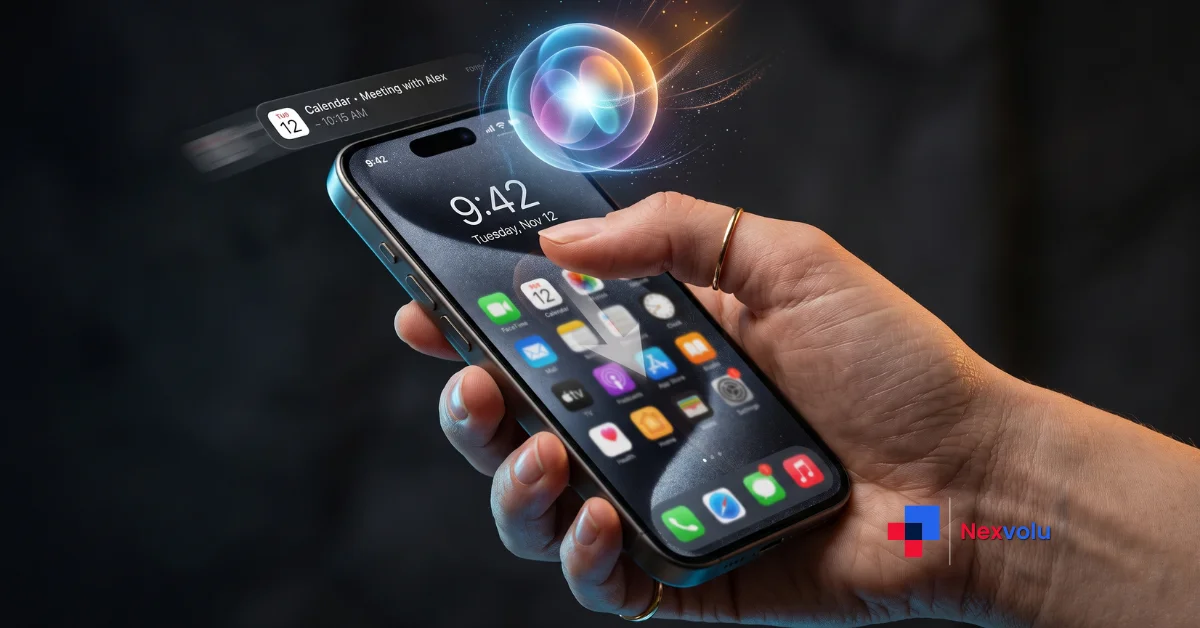
Swipe down from the middle of your iPhone screen. For fifteen years, that gave you Notification Center. But in iOS 27, it gives you Siri instead and it is one of the iOS 27 features Apple never showed on a keynote slide.
So the iOS 27 features that got stage time were all about Siri AI – the rebuilt assistant, the new app, the photo editing. However, the change you’ll actually feel within ten seconds of updating is a swipe you’ve done ten thousand times that now does something else entirely.
And here’s the part that makes it interesting: there’s no setting to turn it off.
This guide covers the iOS 27 features that genuinely changed, which iPhones get which ones, when the public release lands, and whether the beta is worth installing today. It also includes something you won’t find in the other coverage, because we analysed 100 live US search queries and Americans were asking about something completely different from what Apple spent its keynote on.
What Are the Biggest iOS 27 Features?
The biggest iOS 27 features are an AI-rebuilt Siri with its own standalone app, automatic Safari tab organization, four CarPlay upgrades, AI photo editing tools, and stronger parental controls. Also, iOS 27 relocates Notification Center to the top-left corner once Siri AI is enabled. Apple shipped the first beta in June 2026, and the public release is expected in September 2026.
Table of contents
- Siri AI is the headline, and it’s genuinely different
- What actually changed inside Siri
- The gesture change nobody warned you about
- Where Notification Center went
- Safari finally fixed the thing everyone complained about
- CarPlay got the update nobody reported
- What US search data reveals about iOS 27
- How we scored 100 live US queries
- Which iOS 27 features Americans actually searched for
- What the rising queries signal
- Which iPhones support iOS 27
- iOS 27 release date and beta timeline
- Should you install the iOS 27 public beta
- Nexvolu’s Verdict
- Frequently asked questions
Siri AI Is the Headline, and It’s Genuinely Different
Of course, Siri tops every list of iOS 27 features. Apple announced Siri AI at WWDC on 8 June 2026, describing it in its official press release as “profoundly more capable and conversational.” That’s marketing language. But the functional change underneath it is real.
What actually changed inside Siri
The old Siri was a command parser. You said a phrase, then it matched an intent, and it either worked or apologised. By contrast, the new one holds context across a conversation, reads your personal data inside Mail, Messages and Photos, and takes multi-step actions inside apps.
Four things actually changed:
- A standalone Siri app. Conversations persist instead of vanishing when you tap the screen. You can pin frequent prompts and pick up an iPhone conversation on your iPad.
- Write with Siri, systemwide. Select text anywhere and ask for a tone change, a shorter version, or feedback. It drafts from scratch in Mail and Messages using your own writing style.
- Siri mode in Camera. Point, tap the shutter, and ask about what’s in frame. Apple’s demo actions include splitting a bill with Apple Cash and pulling nutritional info from a plate of food.
- Expressive Voice. You choose the voice, then tune its expressiveness and pace.
There’s a detail most coverage skips. Apple’s Foundation Models were built in collaboration with Google, distilling Gemini into smaller models that run on Apple Silicon, with Private Cloud Compute handling anything that leaves the device. TechCrunch reported this after the public beta shipped on 14 July 2026. So Siri isn’t Gemini in a trench coat but Gemini taught it.
Pro tip: Siri AI sits behind a waitlist in the beta. If it hasn’t activated, the model is probably still downloading. Several beta testers reported Writing Tools disappearing entirely until the download finished.
The Gesture Change Nobody Warned You About
This is the part of iOS 27 that will generate the most support-forum traffic, and it got a fraction of the coverage Siri did.
Notification Center arrived in iOS 5 in 2011. Swipe down from the top, and you see your alerts. Since then, that gesture survived the home button, the notch, the Dynamic Island and Liquid Glass. In short, fifteen years of unbroken muscle memory.
Where Notification Center went
In iOS 27, enabling Siri AI hands most of the top edge to Siri. So swiping down from the centre now invokes the assistant. Notification Center still exists – it moved to the top-left corner, and alerts animate in from there to signal the new, smaller target zone. Meanwhile, Control Center keeps the top-right corner.
On iPadOS 27, the first beta gave Siri almost the entire strip above the Home Screen icons. Apple corrected this in beta 2, carving out matching regions roughly two app columns wide on each side.
As 9to5Mac’s Zac Hall reported on 1 August 2026 after nearly two months on the beta, there is no toggle to disable Siri on the centre swipe. His conclusion was blunt: the only option is to build new muscle memory around avoiding the middle.
The honest counterpoint, and it’s a fair one the top-voted comment on that article was from a reader who had always swiped from the left corner anyway and never knew the centre worked. If you’re in that group, nothing changes for you.
If you’re not, you have two weeks of misfires ahead.
Safari Finally Fixed the Thing Everyone Complained About
Of all the iOS 27 features, the Safari changes are the smallest and least glamorous. Still, they are probably the ones you’ll appreciate most on day thirty.
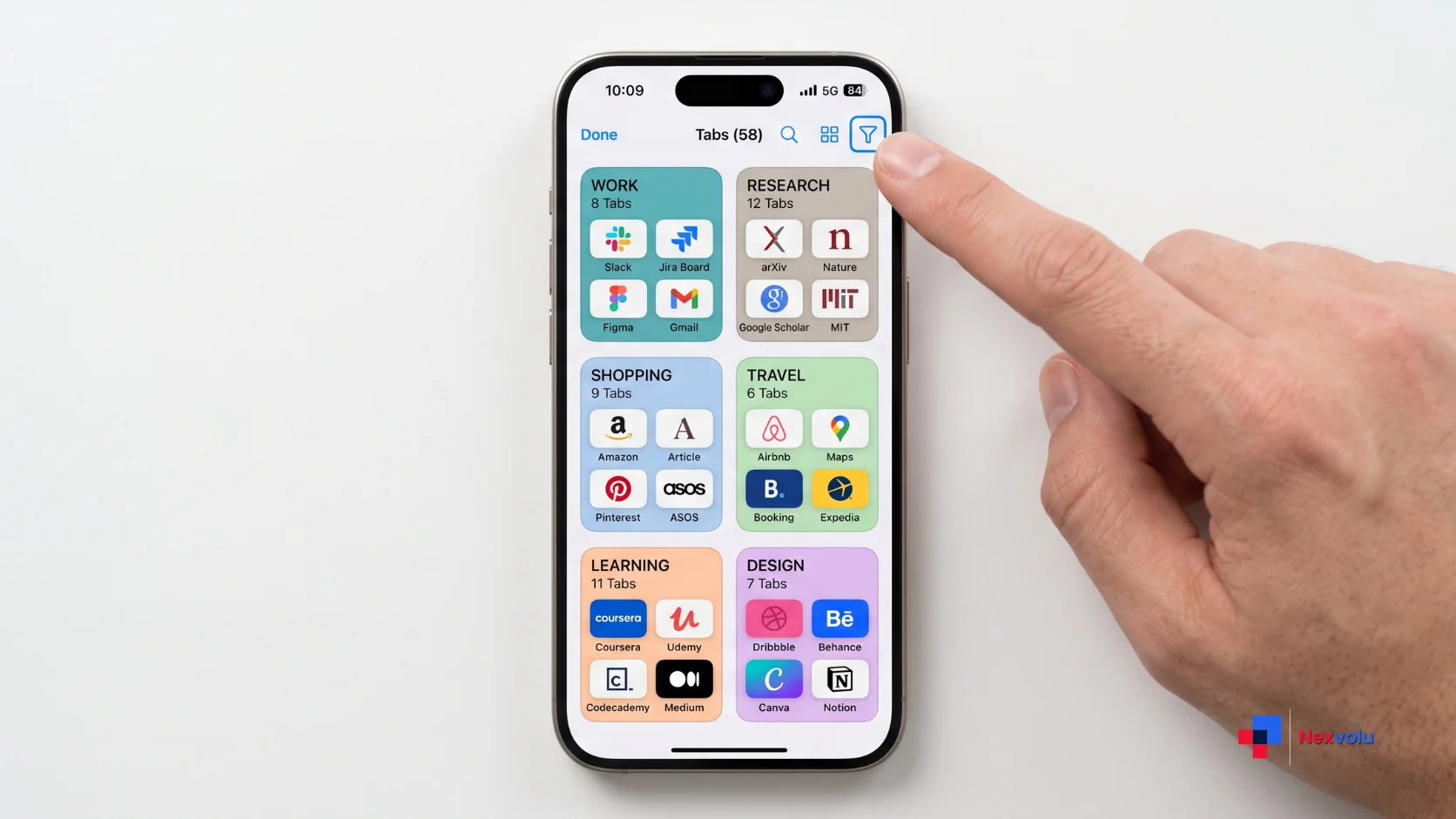
In the Compact toolbar, the All Tabs icon replaces the three-dot menu that iOS 26 used. Tapping it now does the obvious thing instead of opening a menu you had to navigate. Long-pressing still surfaces the old options new tab, private browsing so nothing was actually removed. CNET’s hands-on framed it as a thumb-reach improvement, and that’s the right way to think about it.
But the bigger addition is automatic tab organization. Safari uses Apple Intelligence to read your open tabs, identify related ones, and then sort them into topics sports, news, whatever you’ve been researching. Open All Tabs, tap the three-line icon near the top, and your tabs appear filtered by category.
If you’re someone with ninety open tabs, this is the first feature in years that meaningfully addresses that. If you keep four tabs open, you’ll never notice it.
CarPlay Got the Update Nobody Reported
Apple flashed the CarPlay changes on a single slide during the WWDC keynote, and most outlets moved on. MacRumors caught them on 8 June 2026:
| CarPlay upgrade | What it fixes | Works today? |
|---|---|---|
| Audio scrubbing in Now Playing | Skipping forward in a podcast without opening the app | Yes |
| Improved GPS accuracy and heading | Wrong-direction arrows at intersections | Yes |
| In-app audio mini-player | Losing playback controls when you switch screens | Yes |
| Better wireless reliability | Random disconnects and reconnect loops | Yes |
| Video app support | Passenger video on parked vehicles | No – needs automaker support |
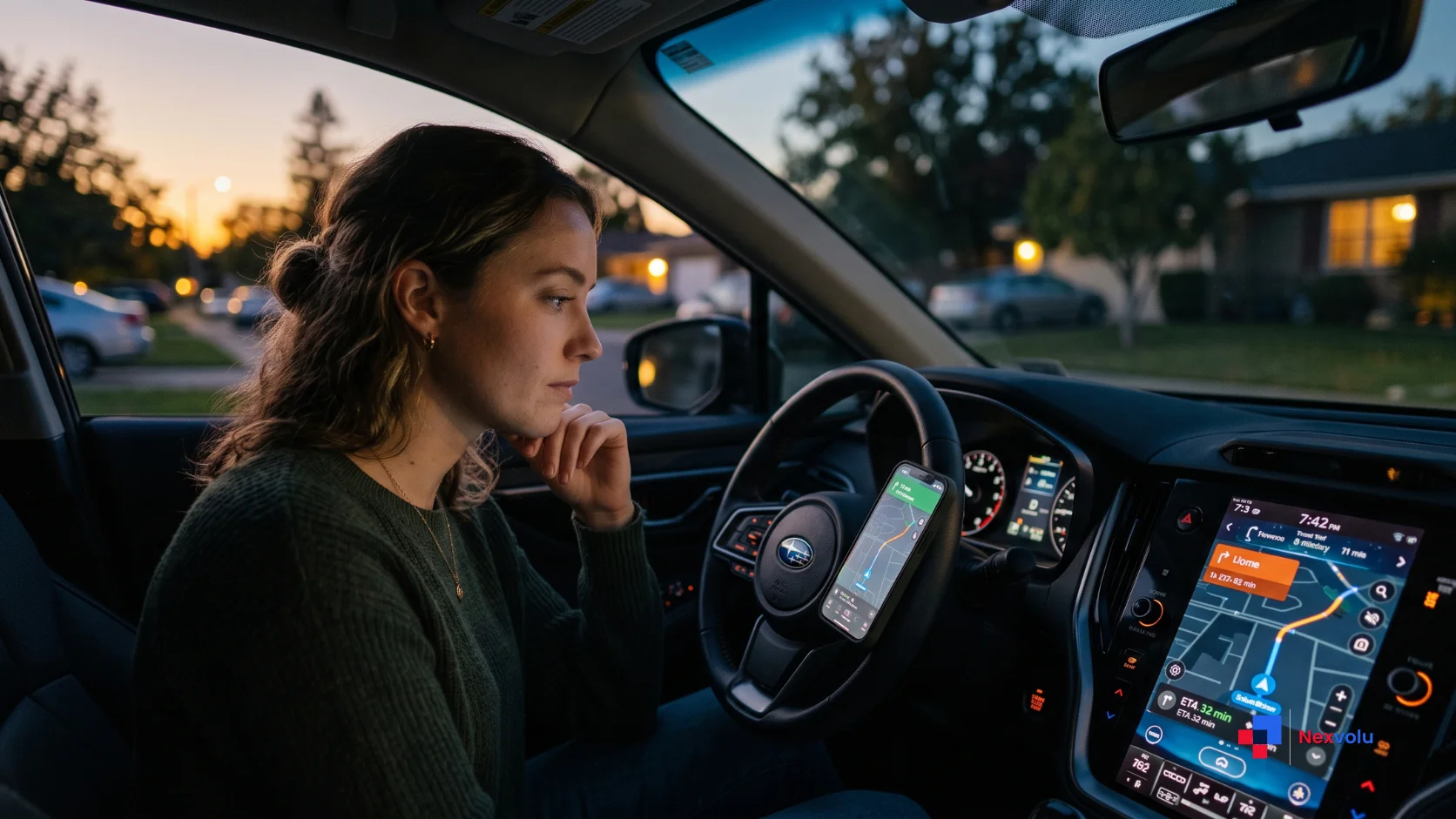
Apple Maps also extended natural-language search into navigation, and it works through CarPlay. You can now ask Siri for a route that avoids toll roads or highways, spoken normally, rather than digging into route settings.
None of that is glamorous. Still, all of it removes friction you hit on literally every drive. And as the next section shows, these are the iOS 27 features people were actually searching for.
What US Search Data Reveals About iOS 27
Here’s the original analysis, and it produced a genuinely surprising result.
How we scored 100 live US queries
We took the 100 US Google Trends queries attached to “ios 27” during the trend’s active window on 2 August 2026 50 top queries and 50 rising queries and scored them two ways. First, we grouped every query into an intent cluster and measured its share of total search interest. Second, we built a momentum score: search interest multiplied by 24-hour growth rate, divided by 100. Raw growth percentages flatter tiny queries; momentum weights growth by how many people are actually searching.
Intent clusters, by share of total US search interest (972 total interest points):
| Intent cluster | Share of interest | What people are asking |
|---|---|---|
| Beta access and installation | 53.8% | How do I get it, is it out, which beta |
| Features and changes | 15.7% | What’s new, what changed |
| Release timing | 11.4% | When does it launch |
| iOS 26 comparison | 1.6% | Should I upgrade from 26 |
| Hardware spillover | 1.5% | iPhone 18, Apple Watch |
Over half of all interest – 517 of 972 points – came from queries containing the word “beta.” Two months before public release, the dominant American question about iOS 27 isn’t what is it. It’s how do I get it early.
Momentum leaders (interest × 24h growth ÷ 100):
| Query | Interest | 24h growth | Momentum |
|---|---|---|---|
| carplay ios 27 beta features | 26 | +450% | 117.0 |
| ios 27 changes | 10 | +400% | 40.0 |
| ios 27 carplay | 31 | +110% | 34.1 |
| ios 27 features | 44 | +70% | 30.8 |
| beta ios 27 | 100 | +9% | 9.0 |
Which iOS 27 features Americans actually searched for
Now the finding worth writing down.
Across all 50 top queries, CarPlay-related searches totalled 59 interest points. Siri-related searches totalled 13. CarPlay outdrew Siri by roughly 4.5 to 1 – and CarPlay’s top query was growing at +450% while the highest-volume beta queries crawled along at +8-9%.
Apple built its keynote around Siri. The press built its coverage around Siri. American searchers, on the day the trend peaked, were overwhelmingly asking about a scrubbing bar and a GPS heading fix in their car.
What the rising queries signal
Two more signals from the same dataset:
- Six queries hit Breakout status, meaning growth too large to express as a percentage. The most notable was “apple ios 27 usability changes” at 8 interest points – a phrase that reads like someone searching for exactly the gesture problem described earlier, without knowing what to call it. “ios 27 public beta stability” and the Spanish-language “cuando sale ios 27” also broke out.
- The rising set split exactly down the middle – 22 queries growing, 22 declining. Release-date curiosity is cooling. Feature and usability curiosity is heating up. That’s the natural shape of a beta cycle maturing into a launch.
What this means if you publish about iOS 27: the traffic isn’t in “iOS 27 release date.” That’s saturated and declining. It’s in CarPlay specifics, usability changes, and beta stability – three angles the major outlets have largely left open.
Which iPhones Support iOS 27
Good news first. iOS 27 supports every iPhone that runs iOS 26 – 29 models in total, starting from the iPhone SE (2nd generation) and iPhone 11. So nothing was dropped this year.
However, the catch is that compatibility and capability are two different things, because not every supported iPhone gets every one of the iOS 27 features.
| Tier | Devices | What you get |
|---|---|---|
| Full Siri AI | iPhone 17 Pro, 17 Pro Max, iPhone Air | Everything, including Expressive Voice and advanced dictation |
| Apple Intelligence | iPhone 15 Pro / Pro Max, iPhone 16 series, 16e, iPhone 17, 17e | Siri AI, Safari tab organization, AI photo editing |
| Base iOS 27 | iPhone 11 through iPhone 14, iPhone SE 2nd gen+ | Interface updates, CarPlay fixes, performance, parental controls – no Apple Intelligence |
The top tier exists because of memory, not marketing. MacRumors reported on 20 July 2026 that Apple’s most advanced on-device model needs 12GB of RAM, and only the iPhone 17 Pro models and iPhone Air currently ship with it. The standard iPhone 17 has 8GB.
So if you own an iPhone 13, you will get iOS 27 in September. You will not get Siri AI. You will also, notably, not lose your Notification Center swipe because that change only triggers when Siri AI is enabled.
There’s an unintended irony there. Older hardware keeps the fifteen-year gesture. Newer hardware loses it.
iOS 27 Release Date and Beta Timeline
Apple has not announced a public release date. However, the beta cadence is unusually easy to read.
| Build | Type | Date |
|---|---|---|
| 27.0 beta 1 | Developer | 8 June 2026 |
| 27.0 beta 2 | Developer | 22 June 2026 |
| 27.0 beta 3 | Developer | 6 July 2026 |
| 24A5380l | Public beta 1 | 13 July 2026 |
| 27.0 beta 4 | Developer | 20 July 2026 |
| – | Public beta 2 | 22 July 2026 |
Apple has shipped a developer beta roughly every two weeks since WWDC. Following the pattern set by iOS 26 – released 15 September 2025 – both Forbes and 9to5Mac put the iOS 27 general release on or around Monday, 14 September 2026, following an expected iPhone keynote the week prior.
Treat that as an informed estimate, not a confirmed date. Apple typically reveals it at the September iPhone event.
Should You Install the iOS 27 Public Beta?
Beta sentiment this cycle is unusually warm. Across r/iOS27, r/iOSBeta and r/HomeKit, the recurring theme in threads through July 2026 is that iOS 27 feels more stable than expected – several users described it as more stable than shipping iOS 26. One r/iOSBeta moderator went as far as banning repetitive “battery life is great” and “Safari feels snappier” comments because the threads were drowning in them.
Still, that’s community sentiment rather than measurement. So take it as directional.
The counter-signals are real too. For example, one user reported the beta wiping their smart lights out of the Home app. Another documented battery health dropping from 86% to 82% across eleven days on beta 4, which is more likely a recalibration artefact than genuine degradation but it’s the kind of thing that ruins your week if you weren’t expecting it.
Install the public beta if: you have a secondary device, you keep current backups, and the iOS 27 features you want most are the CarPlay fixes or Safari tab organization.
Wait for September if: this is your only phone, you depend on HomeKit, you need banking or work apps to behave, or you’d be upset by a battery-health number moving.
One thing worth flagging that CNET raised you can’t simply uninstall a beta. Rolling back means restoring from a backup made before you updated. Make that backup first, not after.
Nexvolu’s Verdict
The verdict: iOS 27 is the most substantial iPhone update since iOS 7, and the friction it introduces is concentrated in exactly one place – a gesture Apple decided you’d get over.
Best for: iPhone 15 Pro and newer owners who use Siri regularly, and anyone who drives with CarPlay daily.
Skip it if: you’re on an iPhone 14 or older, where you’ll get the housekeeping without the headline.
Pros: Siri is finally contextual and conversational · CarPlay fixes four everyday annoyances at once · no devices dropped from support, so 29 iPhones make the cut
Cons: the Notification Center swipe change has no off switch · the best Siri features are locked behind 12GB of RAM · Siri AI is English-only at launch
Standout: the CarPlay upgrades. In fact, our analysis of 100 live US search queries found CarPlay outdrawing Siri 4.5-to-1 in real search interest, so Apple undersold one of the iOS 27 features people actually wanted.
Nexvolu Editorial Score: 8/10 – a genuinely strong release held back from a 9 by one unremovable gesture change and a capability tier that quietly excludes most of the install base. This is our editorial assessment based on Apple’s documentation, developer release notes and published hands-on reporting, not first-hand device testing.
Frequently Asked Questions
When is the iOS 27 release date?
Apple has not confirmed an official iOS 27 release date. Based on the company’s release pattern and the current beta cadence, both Forbes and 9to5Mac expect general availability on or around Monday, 14 September 2026, following an iPhone keynote the previous week.
Apple almost always announces the exact date at its September iPhone event rather than in advance. The pattern is consistent: iOS 26 arrived on 15 September 2025, also a Monday, roughly one week after the keynote. If Apple holds its event on 9 September 2026, the 14th is the logical landing spot. Treat any specific date you see before that keynote as an educated prediction.
Is iOS 27 out yet?
iOS 27 is not publicly released. It is available as a developer beta and a public beta, with public beta 2 shipping on 22 July 2026. Anyone with a compatible iPhone can install it free through Apple’s Beta Software Program, though it remains prerelease software.
The distinction matters for stability. Beta builds go out roughly every two weeks and can introduce regressions between versions. Beta testers this cycle have reported unusually good stability, but also isolated issues including HomeKit devices disappearing from the Home app. If you need your phone to work reliably every day, the September release is the version to wait for.
Which iPhones are compatible with iOS 27?
iOS 27 runs on 29 iPhone models – every device that supported iOS 26. That list starts at the iPhone SE (2nd generation) and iPhone 11, and runs through the iPhone 17 Pro Max and iPhone Air. No devices were dropped from support this year.
Compatibility does not mean feature parity. Apple Intelligence and Siri AI require an iPhone 15 Pro or newer. The most advanced features – Expressive Voice and upgraded dictation – need 12GB of RAM, which currently limits them to the iPhone 17 Pro, 17 Pro Max and iPhone Air. An iPhone 12 will run iOS 27 and get the CarPlay and interface changes, but no AI features.
Is the iOS 27 beta stable enough for a daily driver?
Community sentiment across r/iOS27 and r/iOSBeta through July 2026 is that iOS 27 is noticeably more stable than typical betas, with many users reporting good battery life and smooth performance. That’s crowd sentiment rather than measured data, and it does not make the beta risk-free.
Documented issues include smart-home devices vanishing from the Home app and a sharp battery-health reading drop reported on beta 4 – most likely a recalibration artefact. The practical rule: if you have a spare device, install it. If it’s your only phone, and especially if you rely on HomeKit or banking apps, wait for September. Back up before installing either way.
How do I get the iOS 27 beta on my iPhone?
Open Settings, tap General, then Software Update, then Beta Updates, and select the iOS 27 Public Beta. You’ll need to be signed in with an Apple Account enrolled free in the Apple Beta Software Program at beta.apple.com. The update then downloads like any normal iOS update.
Make an archived backup to your computer before you start. This is the part people skip and regret. You cannot uninstall a beta – reverting means restoring from a backup created before the update, so a backup made afterwards is useless for rolling back. Siri AI also sits behind a separate waitlist and may take time to activate after installation.
What changed with Notification Center in iOS 27?
Once Siri AI is enabled, swiping down from the centre of the screen invokes Siri instead of opening Notification Center. Notification Center moves to the top-left corner, and alerts animate in from that corner to signal its new, smaller activation area. Control Center stays in the top-right.
This reverses fifteen years of behaviour dating to iOS 5 in 2011. There is currently no setting to disable Siri on the centre swipe, so the only workaround is avoiding the middle of the top edge. If you never enable Siri AI or your iPhone doesn’t support it – the original gesture is unchanged. On iPadOS 27, Apple widened the corner zones in beta 2 after complaints.
What are the new CarPlay features in iOS 27?
iOS 27 adds audio scrubbing in the Now Playing interface, improved GPS accuracy and navigation heading, an in-app audio mini-player, and better wireless CarPlay reliability. Apple Maps also extends natural-language search to navigation, so you can verbally ask Siri to avoid tolls or highways.
All four of those work today on any iPhone running iOS 27 with a compatible head unit. A fifth feature – dedicated video apps in CarPlay – is available for developers but requires automaker support, so it may be a long wait. Our analysis of live US search data found CarPlay queries outdrawing Siri queries 4.5-to-1, making this the most underreported part of the release.
Does iOS 27 use Google Gemini?
Not directly. Apple built its Foundation Models in collaboration with Google, distilling Google’s Gemini model into smaller, efficient models trained on proprietary data and optimised for Apple Silicon. Requests that can’t run on-device go through Private Cloud Compute, which Apple states does not store or expose personal data.
The distinction is meaningful. Siri AI isn’t Gemini running under an Apple label – it’s Apple’s own models, taught using Gemini as a teacher model. Separately, iOS 27 includes an Extensions system that lets you connect third-party assistants such as ChatGPT alongside Siri, which is a different mechanism from the underlying Foundation Models.
Will iOS 27 slow down an older iPhone?
Apple describes iOS 27 as including broad performance improvements, and early beta reports from iPhone 15 and iPhone 16 owners have generally been positive on both speed and battery. Older devices such as the iPhone 11 skip the AI features entirely, which means they avoid the heaviest new workloads.
Historically, the first weeks after any iOS upgrade feel slower on older hardware because the system reindexes files, photos and Spotlight data in the background. That settles within a few days. If your iPhone still feels sluggish a week after updating, the usual culprits are low storage or a battery below 80% health rather than iOS 27 itself.
The Bottom Line on iOS 27
Three things to take away.
First, iOS 27 is a real upgrade rather than a maintenance year – Siri finally does what Apple promised two years ago, and no iPhone lost support in the process.
Second, the friction is concentrated in one place. If you enable Siri AI, relearn where Notification Center lives before you get frustrated. Top-left corner. That’s it.
Third, and this is the part the coverage missed: of all the iOS 27 features, the CarPlay fixes may be the most useful for the most people. Also, the search data backs that up more clearly than any keynote did.
If you’re on an iPhone 15 Pro or newer and you drive with CarPlay, the September update is worth your afternoon. If you’re tempted by the public beta before then, back up first – properly, to a computer.
Which iOS 27 change are you most curious about, and which one do you think Apple will quietly reverse before launch? Tell us in the comments.
References
- Apple Newsroom – Apple introduces Siri AI, a profoundly more capable and personal assistant, 8 June 2026
- Apple Newsroom – Apple Intelligence brings powerful AI capabilities into everyday experiences, 8 June 2026
- Apple – iOS 27 Preview, 2026
- Apple Developer – iOS & iPadOS 27 Beta 4 Release Notes, July 2026
- 9to5Mac, Zac Hall – iOS 27 breaks 15 years of muscle memory on iPhone and iPad, 1 August 2026
- MacRumors – Apple Announces New CarPlay Features on iOS 27, Including Video Apps, 8 June 2026
- MacRumors – Which iPhones Support Every iOS 27 Feature?, 20 July 2026
- CNET – I’ve Been Running the New Safari on iOS 27, July 2026
- TechCrunch – Apple opens its new Siri AI to everyone with the iOS 27 public beta, 14 July 2026
- Forbes, David Phelan – Apple iOS 27 Release Date, 11 June 2026


