
It’s 3:47pm, and you’re about to use AI at work in a way that actually matters. Your manager wants the client summary by four. You’ve got sixty pages of notes, a dull headache, and a chatbot tab already open. Twenty seconds of copy-paste would end the problem.
Then the thought lands. Am I allowed to do this?
That pause is the most common unspoken moment in office work right now, and almost nobody answers it straight. Search for help and you’ll find HR templates explaining how managers should write an AI policy. Genuinely useful, of course – if you run a legal department. But useless when you’re the one with a cursor blinking in a prompt box at 3:47pm.
So this guide takes the other side. It’s for the person who wants to use AI at work, keep their job, and stop guessing.
Here’s the honest headline before we start: hardly anyone gets disciplined for using AI. Instead, people get disciplined for what they put into it. Because those are two completely different risks, confusing them is why smart employees either freeze up or blunder in.
What follows is a way to read your company’s rules in about ten minutes, a three-question test to run before every paste, a plain-language table of what’s safe versus career-limiting, a straight answer on whether your boss can read your chats, and a checklist you can keep in a second tab.
Table of Contents
- The Short Answer
- What an AI Acceptable Use Policy Actually Says
- How to Find Your Company’s Rules, Fast
- The Three-Question Paste Test
- Enterprise vs Consumer AI: Same Prompt, Two Different Risks
- Can Your Employer See Your AI Chats?
- The Data Tier Ladder: What’s Safe to Paste
- What Actually Gets People Fired
- Your 10-Point Safety Checklist
- If You’ve Already Pasted Something You Shouldn’t Have
- Nexvolu’s Verdict
- Frequently Asked Questions
Can You Use AI at Work? The Short Answer
Most employees can use AI at work, but permission depends on two things: whether your employer has an acceptable use policy, and what data you put into the tool. Using an approved, company-licensed AI assistant for drafting or research is normally fine. Pasting confidential information into a personal account is the behaviour that triggers discipline.
That’s the compressed version. Now for the part that decides your actual risk, because permission and safety are not the same thing when you use AI at work.
AI use at work stopped being a fringe habit a while ago. Gallup’s tracking found that 52% of U.S. employees now use AI in their role at least a few times a year, and 15% use it daily – the first time the measure has crossed half in Gallup’s series{:target=”_blank” rel=”noopener”}. Which means the awkward truth: you’re probably not the outlier in your team. You might just be the one thinking about the rules.
What an AI Acceptable Use Policy Actually Says
An acceptable use policy for AI is a short internal document that answers four questions: which tools you may use, what data you may feed them, when a human must review the output, and what happens if you break the rules. Most run two to four pages. Yet most employees have never opened theirs, even though it is the one document that governs how they use AI at work.
Strip away the legal wrapping and workplace AI policies cluster into five recognisable types.
| Policy type | What it means for you | How common |
|---|---|---|
| Open with guardrails | Any tool is fine; no confidential data; you review the output | Most common in 2026 |
| Approved-tools-only | Use the company’s licensed assistant, nothing else | Rapidly growing |
| Approval required | Ask a manager or IT before each new use case | Common in regulated firms |
| Full prohibition | No generative AI for company work, period | Shrinking but real |
| No policy at all | Undefined – the riskiest position of the five | Still widespread |
That last row deserves a warning. “No policy” doesn’t mean “anything goes.” Although your existing confidentiality agreement, data protection obligations and IT security policy were written before chatbots, they still cover chatbots anyway. In other words, a missing AI policy removes clarity, not liability.
One more thing worth knowing if you work for a European employer, or one with European operations. Under **Article 4 of the EU AI Act{:target=”_blank” rel=”noopener”}**, which has applied since 2 February 2025, organisations deploying AI systems must ensure their staff have a sufficient level of AI literacy. Practical translation: your employer is supposed to train you. If they haven’t, that’s their gap but it won’t retroactively excuse a data leak.
How to Find Your Company’s Rules Before You Use AI at Work
You don’t need to read the handbook cover to cover. Run these five searches instead.
- Search your intranet for “artificial intelligence,” “generative AI,” and “ChatGPT.”
- Search your email for the same terms most policies arrive as an all-staff announcement.
- Check the IT service catalogue for a licensed AI tool. If one exists, it’s the approved one.
- Open your confidentiality or data classification policy. It defines what counts as confidential, which is the part that really matters.
- Ask your manager in writing. One sentence: “Is there an approved AI tool I should be using for drafting?”
That fifth step scares people. It shouldn’t. A written question is the cheapest insurance you’ll ever buy, and it reframes you as the person who checks rather than the person who got caught. Ask by email or chat, not verbally you want a record.
If your workplace has an intranet green shield, a corporate login on the AI tool, or a single-sign-on button, you almost certainly have an enterprise agreement. That changes everything, as the next section explains.
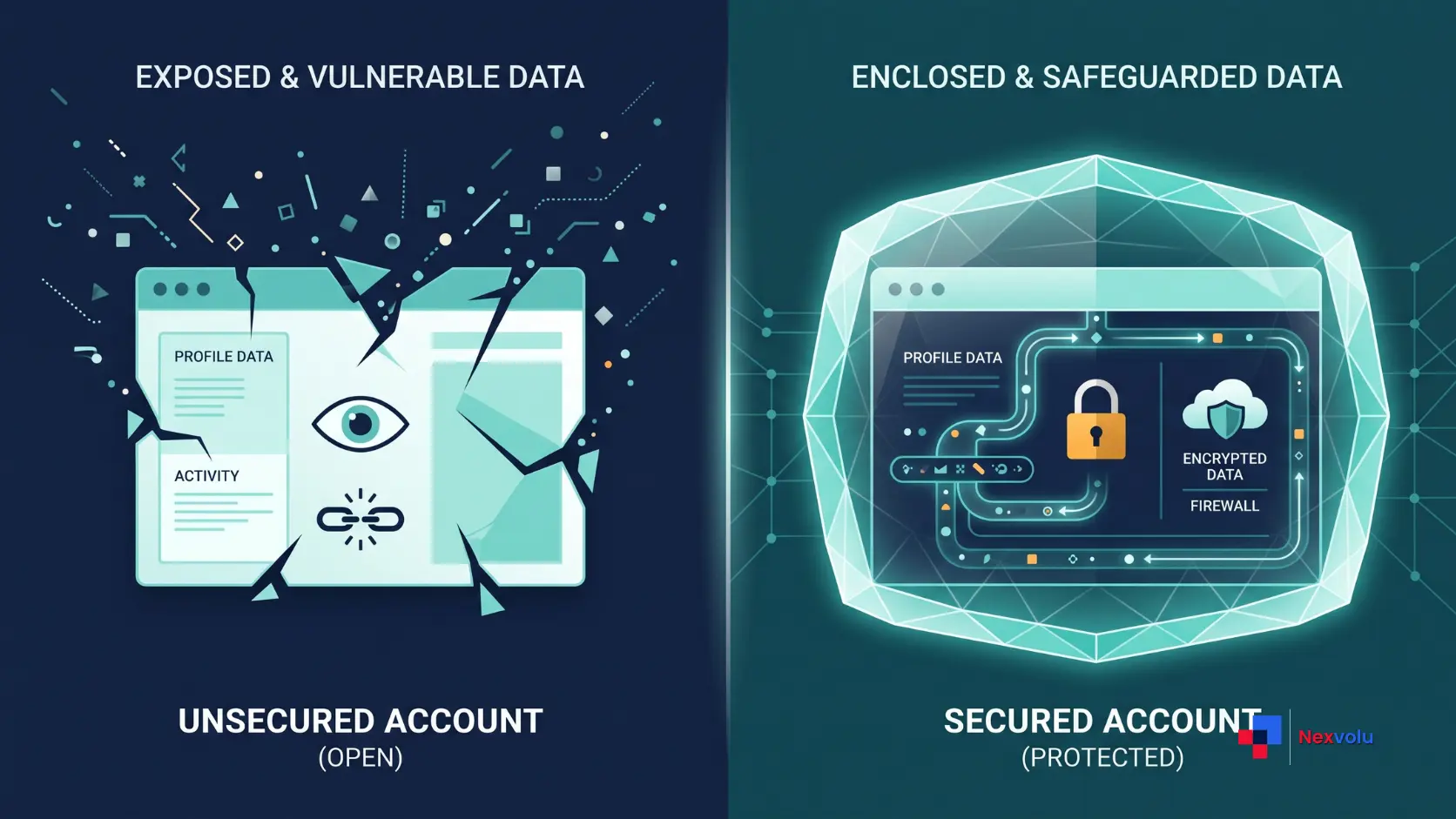
Enterprise vs Consumer AI: Same Prompt, Two Different Risks
Here’s the distinction that most workplace advice skips, and it’s the single most valuable thing on this page.
The same sentence typed into two different accounts carries wildly different consequences. Not because the model changes. Because the contract behind the account changes.
| Consumer / personal account | Enterprise or business account | |
|---|---|---|
| Contract with your employer | None | Signed data processing agreement |
| Used to train models | Often the default unless you opt out | Contractually excluded |
| Data retention | Provider’s standard policy | Set by your organisation |
| Admin visibility | None | Yes – admins can access chats |
| Compliance coverage | You personally | Your employer |
| Verdict for work data | Treat as public | Treat as work email |
Microsoft’s documentation is unusually blunt about the enterprise side. Under **enterprise data protection in Microsoft 365 Copilot{:target=”_blank” rel=”noopener”}**, prompts and responses are covered by the same commercial terms as the rest of your Microsoft data and aren’t used to train the foundation models. That’s the protection you’re paying for. It’s also the protection you throw away the moment you open a personal tab instead.
And people do throw it away, constantly. In fact, Cyberhaven’s 2026 analysis of real enterprise browser activity found that 32.3% of workplace ChatGPT usage runs through personal accounts – rising to 58.2% for Claude and 60.9% for Perplexity. As a result, roughly one in three ChatGPT sessions at work sits entirely outside the employer’s controls. Nobody planned that, of course. It’s just faster to click the tab you’re already logged into.
The security industry calls this shadow AI. Your IT team probably has a slide about it.
Can Your Employer See Your AI Chats?
Short answer: on a company account, usually yes. Over a company device or network with a personal account, sometimes. But on a personal account, personal device and personal network, generally no.
Because this question comes up in every Reddit thread on the topic, here’s the matrix nobody publishes.
| Scenario | Can your employer see the content? | Why |
|---|---|---|
| Company AI account (Business / Enterprise) | Yes | Admin console and compliance export |
| Personal account, company laptop | Often | Endpoint monitoring or DLP agent |
| Personal account, company network | Sometimes | Network inspection may capture the request |
| Personal account, personal device, home network | Generally no | No corporate control point |
| Company account, personal device | Yes | Visibility follows the account, not the hardware |
OpenAI states plainly in its enterprise documentation that workspace administrators can view, access, export and delete end-user conversations in a business workspace. That isn’t a loophole it’s the product working as designed, the same way your work email is discoverable. Treat a company AI account exactly like company email and you’ll never be surprised.
Retention is the other half of the question. Per **OpenAI’s chat retention policy{:target=”_blank” rel=”noopener”}**, deleted chats and Temporary Chats are removed from OpenAI’s systems within 30 days unless the company has to keep them for security or legal reasons. That final clause is doing real work. Litigation holds and regulatory investigations override the standard clock, which is why “I deleted it” is not a plan.
So the useful mental model is simple: prompt logging is the norm, not the exception. Assume a record exists somewhere, and then decide what you’re comfortable putting into that record.
The Three-Question Paste Test Before You Use AI at Work
You can’t read a policy every time you copy something. So compress it into three questions. Ten seconds, before you hit enter.
1. Would I email this to a stranger with no NDA?
If the answer is no, the text is confidential information and it doesn’t belong in a consumer AI tool. This one question catches most real incidents.
2. Is there a name, number or identifier in here that belongs to someone else?
Client names, employee records, patient details, account numbers, unreleased financials, salary data, source code. Strip it or don’t paste it.
3. Am I logged into the account my employer gave me?
Check the top-right corner. Genuinely – check it. This is the failure that turns a harmless prompt into an incident report.
Three yeses in the right direction means paste. Whenever you hesitate, though, either sanitise the text or move to the approved tool. That’s the whole system.
There’s a fourth question worth adding for anyone whose output goes to a client or the public: would I be embarrassed if someone knew AI drafted this? That’s a disclosure question rather than a security one, and disclosure rules are increasingly written into contracts rather than policies.
Found this useful so far? Share it with the colleague who’s been quietly wondering the same thing.
The Data Tier Ladder: What’s Safe to Paste When You Use AI at Work
Most policies talk about “confidential information” without ever defining it in terms a normal person can apply at speed. This ladder does.
| Tier | Examples | Consumer AI | Approved enterprise AI |
|---|---|---|---|
| 1 – Public | Published marketing copy, public pricing, press releases | ✅ Safe | ✅ Safe |
| 2 – Generic work | Grammar fixes, meeting agenda formats, generic email templates | ✅ Usually safe | ✅ Safe |
| 3 – Internal | Internal process notes, non-sensitive drafts, team plans | ⚠️ Check policy | ✅ Usually safe |
| 4 – Confidential | Client data, contracts, financials, source code, strategy | ❌ Never | ⚠️ Only if policy allows |
| 5 – Regulated | Health records, payment data, personal data under GDPR | ❌ Never | ❌ Not without formal sign-off |
Tiers 1 and 2 cover a surprising share of what people actually want AI for. For example: tightening a paragraph, turning bullet points into an email, or explaining a concept you’re embarrassed to ask about. None of that requires confidential input, which is why the safest habit isn’t avoidance – it’s rewriting the prompt so the sensitive part never enters it.
A quick example of how that works in practice. Instead of pasting a client contract and asking for a summary, describe the structure: “I have a 12-page services agreement with a 30-day termination clause and a liability cap. Draft five questions I should ask before signing.” Same help. Zero exposure. That reframing is a skill, and it’s the one worth building.
The direction of travel makes this urgent. Cyberhaven Labs reported that 34.8% of corporate data flowing into AI tools is now sensitive, up from 10.7% two years earlier. The volume isn’t the problem. The composition is.
What Actually Gets People Fired for Using AI at Work
Time for the uncomfortable section.
In the United States, most employment is at-will, which means an employer can generally end the relationship for any lawful reason. Employment lawyers writing on this topic are consistent: choosing to use AI to do your job isn’t a legally protected activity, so a termination on those grounds is typically lawful. Harsh, but that’s the baseline. (This is general information, not legal advice talk to a qualified employment lawyer about your own situation.)
In practice, though, the pattern in public accounts is narrower than the fear. Across Reddit threads such as r/it, r/careerguidance and r/sysadmin, where employees describe real incidents, the same four triggers keep appearing while ordinary drafting use rarely does.
The four behaviours that actually escalate:
- Pasting confidential or client data into a personal AI account. The number one trigger, by a distance.
- Shipping unchecked output. Fabricated citations, wrong figures, invented policy. The AI wasn’t the offence the missing review was.
- Concealment. Being asked directly and denying it. Almost every account that ends badly includes this step.
- Ignoring an explicit ban. Where a written prohibition exists and was acknowledged, the conversation becomes a policy violation rather than a judgement call.
The most-cited real-world case remains Samsung’s, from May 2023. Engineers pasted confidential source code into ChatGPT while debugging; Bloomberg reported the company then restricted generative AI chatbots on internal devices. No malice involved. Just people using a good tool with the wrong data in the wrong window – which is exactly how these incidents happen.
My honest read on the current landscape: the risk of being punished simply because you use AI at work is falling fast as adoption normalises, while the risk of being punished for leaking through AI is rising just as fast. Therefore, optimise for the second one.
Your 10-Point AI-at-Work Checklist
Keep this open in a second tab whenever you use AI at work. In short, it’s the whole guide in a form you can act on.
- [ ] 1. Find and read your company’s AI acceptable use policy or confirm in writing that none exists.
- [ ] 2. Identify the approved tool and log in with your work account.
- [ ] 3. Check which account you’re in before every work-related prompt.
- [ ] 4. Never paste Tier 4 or Tier 5 data into a consumer tool.
- [ ] 5. Rewrite prompts to describe sensitive material rather than include it.
- [ ] 6. Turn off model training in your settings where the option exists.
- [ ] 7. Review and fact-check every output before it leaves your hands.
- [ ] 8. Disclose AI assistance where your policy, client or contract requires it.
- [ ] 9. Assume prompt logging write as if an admin may read it later.
- [ ] 10. Ask your manager in writing when a new use case falls outside the rules.
Print it, pin it, or paste it into your notes app. Ten items, and eight of them take under a minute.

If You’ve Already Pasted Something You Shouldn’t Have
Maybe you read the last two sections with a sinking feeling. Fine. Here’s the sequence that limits the damage.
Stop and don’t delete anything yet. Deleting can look like concealment, and in a regulated environment it can itself be a violation. Understand the position first.
Write down the facts. What was pasted, into which tool, on which account, on what date. Two minutes of accuracy beats an hour of speculation.
Check the severity. Tier 3 internal notes in a personal account is a lesson. Tier 5 regulated data is a reportable incident, and reporting deadlines under data protection law can be measured in hours.
Tell someone if it’s Tier 4 or 5. Your manager, IT security, or whoever your policy names. Self-reporting reframes you as the person who caught the problem. Every account of a bad outcome I’ve read publicly involved someone who chose silence instead.
Then fix the setup. Move to the approved tool, disable training where you can, and adopt the Paste Test so it doesn’t recur.
One genuinely low-risk case exists: Tier 1 or Tier 2 content in a personal account. Public text and grammar fixes. That’s not an incident and you don’t need to escalate it just change accounts going forward.
Nexvolu’s Verdict
The verdict: Permission to use AI at work is now the norm rather than the exception, and the only thing standing between you and safe use is a ten-second habit of checking what you’re pasting and which account you’re in.
Best for: Anyone using AI for drafting, summarising, research or code review who wants a defensible position rather than a hunch.
Skip it if: Your employer has an explicit written ban you’ve already acknowledged in that case the answer isn’t a framework, it’s a conversation with your manager.
Pros: Adoption has crossed half the U.S. workforce, so you’re operating inside the norm, not outside it · Enterprise tiers now offer genuine contractual protection that didn’t exist two years ago · Most policies permit far more than employees assume
Cons: Around a third of workplace ChatGPT use still runs through unprotected personal accounts · Deletion is not erasure once legal holds apply · Plenty of organisations still have no written policy, leaving employees to guess
Standout: The most under-covered point in this entire debate is that the account matters more than the prompt. Identical text is either routine or reportable depending on which login you’re using and virtually no HR-facing guide explains that to the person actually typing.
Nexvolu Editorial Score: 8/10 – This is an editorial assessment of workplace AI use as it stands today: high capability and clear value, held back from a 9 by the visibility and governance gaps that still sit outside any individual employee’s control.
Frequently Asked Questions
Can I get fired for using AI at work?
You can, though it’s uncommon for ordinary use. In at-will employment, choosing to use AI isn’t a legally protected activity, so an employer can generally act on a policy breach. What actually triggers discipline is pasting confidential data into unapproved tools, shipping unchecked output, or denying use when asked.
The distinction matters. Employees who use an approved assistant for drafting and review the result almost never appear in disciplinary accounts. Those who paste client contracts into a personal account do. If your company has a written ban you’ve acknowledged, treat that as a genuine risk and raise it with your manager rather than working around it quietly. This is general information rather than legal advice for your circumstances.
Is it safe to paste work data into ChatGPT?
It depends entirely on the data tier and the account. Public and generic material is fine anywhere. Internal notes need a policy check. Client data, contracts, source code and financials should never enter a consumer account, and regulated personal or health data needs formal sign-off even on enterprise tools.
A practical workaround solves most cases: describe the sensitive document instead of pasting it. Ask for a review checklist for a services agreement rather than uploading the agreement itself. You get the same assistance with none of the exposure. Cyberhaven Labs found that 34.8% of corporate data going into AI tools is now sensitive, up from 10.7% two years earlier the habit is spreading faster than the guardrails.
Can my employer see my ChatGPT chats?
On a company-provided account, yes. OpenAI’s enterprise documentation confirms that workspace administrators can view, access, export and delete end-user conversations. On a personal account used over a company laptop or network, monitoring or data-loss-prevention software may still capture what you type.
On a personal account, personal device and home network, your employer generally has no visibility. The rule of thumb that keeps people safe: visibility follows the account, not the hardware. A company login on your own laptop is still visible to admins, while a personal login on a managed work laptop can still be captured by endpoint tooling. Treat any company AI account exactly as you’d treat company email.
What’s the difference between enterprise and consumer AI?
The difference is contractual, not technical. Enterprise and business tiers sit under a signed data processing agreement: prompts aren’t used to train foundation models, retention is configured by your organisation, and compliance responsibility sits with your employer. Consumer accounts carry none of that, and you personally hold the risk.
Microsoft’s enterprise data protection documentation for Microsoft 365 Copilot spells this out for its own stack, and OpenAI publishes equivalent commitments for business workspaces. The trade-off is visibility enterprise protection comes with admin access. That’s a fair exchange for work content, and a poor one for anything genuinely personal, which belongs on your own account entirely.
Do I have to tell my employer I used AI?
Only if your policy, contract or client agreement requires it but disclosure requirements are spreading quickly, particularly in professional services, journalism, education and government work. Where no rule exists, the safe default is to disclose whenever AI shaped substance rather than just grammar.
A clean line to apply: tidying your own sentences rarely needs a mention, while generating analysis, code or client-facing recommendations usually does. Some contracts now include explicit AI clauses that bind your employer, which means your undisclosed use can breach an agreement you’ve never read. Ask once, in writing, and you’ll have a defensible answer for the next two years.
What should I do if my company has no AI policy?
Apply your existing confidentiality and data protection obligations, because those already cover AI tools whether or not anyone has said so. Then ask your manager in writing which tool is approved. A missing policy removes clarity, not liability and a written question protects you far better than an assumption.
In the meantime, behave as though an approved-tools-only policy exists. Stay in Tiers 1 to 3, use a work account wherever one is available, and review every output. If you work for an employer with European operations, note that EU AI Act Article 4 has required organisations to ensure staff AI literacy since February 2025 so asking for guidance is a reasonable request, not an awkward one.
The Bottom Line
Three things worth carrying out of this.
The account matters more than the prompt. Identical text is routine on an approved enterprise login and reportable on a personal one. Check the corner of your screen before you paste.
Confidential input is the real risk, not AI use itself. Since adoption crossed half the U.S. workforce this year, you’re well inside the norm when you use AI at work. The Data Tier Ladder is what keeps you there.
A written question beats a confident guess. One sentence to your manager creates a record, resolves the ambiguity, and costs you nothing.
Your next action is small: find out today whether your company has an AI acceptable use policy, and which tool it names. Ten minutes, once. Then use the Paste Test and stop second-guessing yourself.
If this cleared something up, pass it to the colleague who’s still using a personal tab for work drafts – they’ll thank you later.
So where does your workplace sit on the five policy types above open with guardrails, or still pretending nobody’s using it? Tell us in the comments.
Disclaimer: This article is general information about workplace technology practices and is not legal or employment advice. Policies and obligations vary by employer and jurisdiction. Consult a qualified professional about your own situation.
References
- Gallup – Global Indicator: Artificial Intelligence – What Percentage of Employees Use AI at Work? (2026)
- Cyberhaven Labs – 2025 AI Adoption & Risk Report (2025)
- Cyberhaven Labs – 2026 AI Adoption & Risk Report (2026)
- OpenAI Help Center – Chat and File Retention Policies in ChatGPT (2026)
- OpenAI – Enterprise Privacy at OpenAI (2026)
- Microsoft Learn – Enterprise Data Protection in Microsoft 365 Copilot (2026)
- EU Artificial Intelligence Act – Article 4: AI Literacy (in application since 2 February 2025)
- Forbes – Samsung Bans ChatGPT Among Employees After Sensitive Code Leak (2023, reporting Bloomberg