
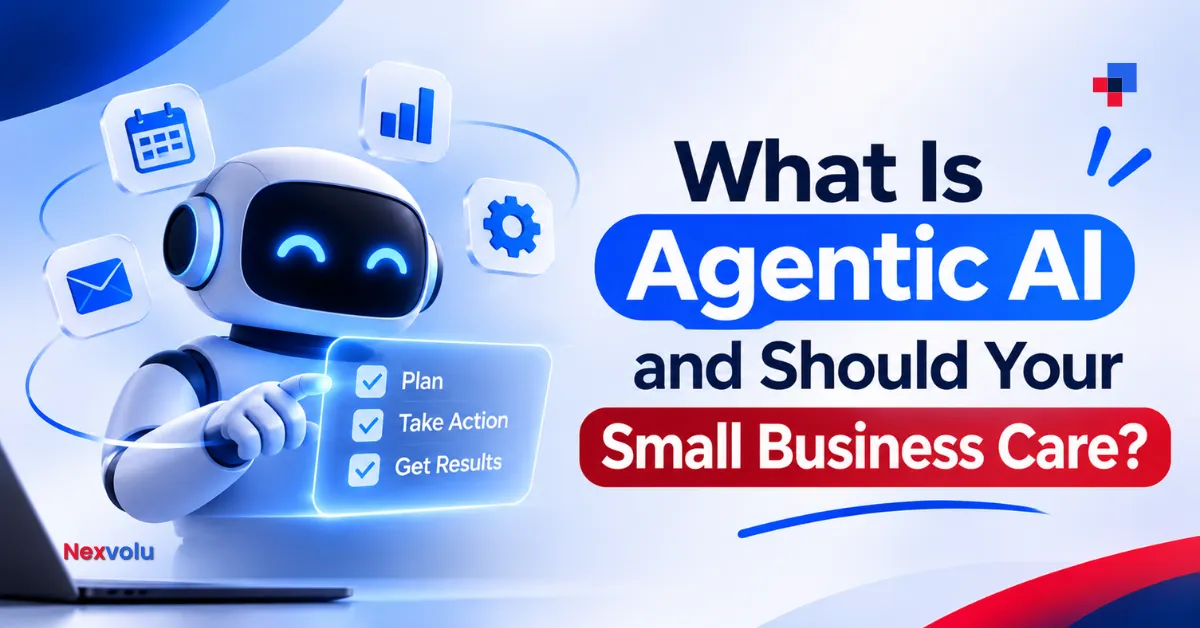
If you ask what is agentic AI, here is the short version. It is software that takes a goal, works out the steps on its own, and acts inside your tools to reach that goal. You hand it a job. It reads the inbox and finds the customer record.
Then it sends the follow-up and logs the result. A chatbot waits for a question and answers it. An agent keeps working after the answer is given. That gap is the whole story.
In practice, an agent can run a messy job while you do other work, but most small firms need only a slice of that power. This agentic AI small business guide covers what works now and what it costs.
What is agentic AI when you strip out the sales talk
Salesforce defines agentic AI as a system that acts on its own to reach a set business goal with minimal human supervision. Slack puts it in fewer words. You provide the goal and context, and the agent does the rest.
Both descriptions point at the same shift. Older tools waited for a prompt. Agents start on their own.
Strip the idea down and you get a loop. The agent takes in information and works out what to do next. Then it acts in one of your systems and checks the result.
For example, take an unpaid invoice. A fixed reminder sends the same email on day 14. An agent looks at the invoice and sees the client paid half last month.
It checks the email thread and finds a dispute about one line item. Then it drafts a note about that line item only. It sends the note if you allow sending, or it leaves the draft for you.
What is agentic AI: workflows versus agents
Anthropic draws the line in a useful place. Its December 2024 guide, Building Effective Agents, splits agentic systems into workflows and agents. Workflows follow code paths you wrote in advance. Agents pick the next step as they go.
The question that matters is who picks the next step, you or the software. That distinction keeps you from paying agent prices for workflow jobs. If the steps never change, a workflow does the job for less money and with fewer surprises. If the steps change every time, an agent earns its keep.
Similarly, Anthropic makes the same point from the other side. Find the simplest solution possible, and only add complexity when you need it. That might mean not building agentic systems at all.
Ultimately, agentic systems trade latency and cost for better performance on open-ended work, so the trade has to be worth it. Agents also remember past jobs, which helps until the memory is wrong.
Chatbot, fixed automation, or agent?
First, three tools share one label in this market. Your budget will notice the difference even if the sales page does not.
A chatbot answers. You ask about opening hours or delivery times, and it replies from your content. It does not open your booking system or chase a payment.
A fixed automation moves data the same way every time. Every new form submission creates a contact and sends a welcome email. Same input, same result.
An agent decides. It reads the inquiry and checks the calendar. Then it books the call and writes a short summary for you. Same goal, different path each time, because the facts differ each time.
| Tool | Who picks the steps | What it does in your apps | Best for |
|---|---|---|---|
| Chatbot | You wrote the answers in advance | Usually nothing, it only replies | Repeat questions with one right answer |
| Fixed automation | You defined every step in advance | Yes, exactly the actions you set up | Jobs that run the same way every time |
| AI agent | The software picks the next step toward your goal | Yes, inside apps you connect | Messy, multi-step work |
For instance, Gartner estimated that only about 130 of the thousands of vendors now marketing themselves as agentic AI companies offer genuine agentic capability. The rest is agent washing.
Before any demo, ask the vendor to show the agent doing the job in your tools, with your data, without a person typing each step.
What is agentic AI: what it can do for a small business
Overall, the work agents handle well today is narrow and repeatable. It is also easy to check. Three jobs fit that description for most small firms, and they are the ones worth pricing first.
Invoice chasing is the first. An agent can watch your accounting tool for overdue invoices and check whether the client replied. It sends a polite follow-up that mentions the real facts, like a part payment or a disputed line. It logs the reply and moves the invoice to a list you review each morning.
In the end, you still decide what happens when a client stops answering.
Inquiry follow-up is the second. A new inquiry lands at 11 pm. The agent reads it and checks whether the person is already a customer.
It pulls the right price list and sends a reply that asks the one missing question. It books the call when the person answers.
Support triage is the third. The agent reads new tickets and sorts the password resets from the refund requests. It answers the simple ones from your help pages and routes the rest to a named person with a short summary. Intercom and HubSpot both sell versions of this.
What is agentic AI: the forecast and the test
Indeed, Gartner expects agentic AI to autonomously resolve 80 percent of common customer service issues by 2029, and to cut operational costs by 30 percent in the process. That is a forecast, not a result. How many of your tickets are repeat questions with answers already written down? That pile is the agent’s real workload.
In short, notice what these three jobs share. Each one has a clear input and a clear output, and a human checks the result. Each one repeats every week.
That is the test. If a job is rare or high stakes, keep it with a person. If it repeats and has written rules, and a mistake costs an apology rather than a lawsuit, an agent can try it.
The European Data Protection Supervisor made a similar point. It said most practical applications so far are individual AI agents for specific tasks, running inside controlled environments with significant human oversight.
What is agentic AI: what it costs in real money
Vendors charge in three ways: per seat, per outcome, or per credit. The model matters more than the headline number, because a cheap seat that bills per action can cost more than an expensive seat that does not.
The figures below come from vendor pricing pages checked on October 12, 2026. Treat them as a snapshot, not a quote.
| Product | What you get | Published price |
|---|---|---|
| ChatGPT Business | Workspace agents that run on schedules in Slack and Google Drive | $20 per user a month billed annually, $25 billed monthly |
| Microsoft 365 Copilot Business | Pre-built Researcher and Analyst agents, plus Agent Builder | $18 per user a month paid yearly, a sale price, was $21 |
| Gemini Enterprise, Business edition | Pre-built Deep Research agent and a no-code Workflow Builder | From $21 per seat a month |
| Zapier Agents, Pro | Agents that act across 9,000 plus connected apps | $33.33 a month billed annually, $400 a year, for 1,500 activities |
| Lindy, Team | An AI teammate for inbox work and reports | From $49.99 per active user a month for 5,000 credits |
| HubSpot customer agent | Answers support questions and acts in the HubSpot CRM | $0.50 per resolution, needs HubSpot Professional or Enterprise |
| Intercom Fin | Answers and resolves support chats across channels | $0.99 per outcome, 50-outcome monthly minimum on another helpdesk |
| Salesforce Agentforce | Agents for customers and staff on Salesforce | $2 per conversation, or Flex Credits at $500 per 100,000 credits |
For example, run the numbers for a team of five. ChatGPT Business costs $100 a month billed annually, or $125 billed monthly. Microsoft 365 Copilot Business costs $90 a month on its first-year sale price, on top of a Microsoft 365 Business plan. Gemini Enterprise Business edition starts at $105 a month for five seats.
What is agentic AI: support pricing and custom builds
However, support pricing works differently, and the difference shows up fast. Take 300 resolved conversations a month. HubSpot charges $150 in credits, plus the HubSpot Professional subscription underneath. Intercom Fin charges $297.
Agentforce on per-conversation pricing charges $600.
Those three numbers are not like for like. HubSpot counts a resolution, while Fin counts an outcome. Agentforce counts a conversation, and each vendor defines its unit its own way.
In contrast, a custom build is a different purchase entirely. Agency rates published in November 2026 put a simple support chat agent at $2,000 to $8,000 to build. A customer intake agent costs $5,000 to $50,000 to build, because it touches the CRM and the calendar. Monthly model usage on top of that often runs $20 to $100 for a small business.
If a vendor quotes you a custom build for your first agent, ask why a product you already pay for cannot do the job. Start with the tool you already pay for. If your team lives in Microsoft 365, look at Copilot Business first. If it lives in Google Workspace, look at Gemini Enterprise first.
When your support runs on HubSpot or Intercom, price their agent before you buy a standalone product. The cheapest agent is usually a feature inside a subscription you already own.
What is agentic AI: the part vendors skip
In fact, adoption numbers look strong until you read who was asked. McKinsey published its State of AI survey in August 2026, based on 1,719 participants in 97 countries. It found 40 percent of respondents at organizations with more than $1 billion in annual revenue were scaling AI agents in at least one function, up from 27 percent a year earlier. At smaller organizations the share stayed flat at 22 percent.
That smaller group still means organizations below $1 billion in revenue, which includes mid-market firms with their own IT teams. Large firms moved. Everyone else waited.
In fact, Slack’s Workforce Index found 52 percent of companies already using workplace AI agents. Another 38 percent plan to roll them out by the end of the year. The US Census Bureau found 23.9 percent of businesses with 1 to 4 employees had used any kind of AI in the two weeks before its October 2026 reading. That Census figure covers AI of any kind, not agents, and it counts use, not success.
Why so many projects get canceled
Gartner gave the clearest warning. In June 2025 it predicted that over 40 percent of agentic AI projects will be canceled by the end of 2027, due to escalating costs, unclear business value, or inadequate risk controls. That is a forecast, not a count of failures, and Gartner said most projects at the time were early experiments driven by hype.
Projects died because nobody could say what the agent was worth, the bill grew past the budget, or nobody had set controls. All three causes are fixable before you spend anything.
Give the agent a narrow job and a written limit on what it can do. Add one number that says whether it helped. Check the number after 30 days.
If the number moved, keep the agent. If it did not, turn it off and keep the money. A pilot with a kill date is a sensible test. It is how you avoid becoming one of Gartner’s 40 percent.
What is agentic AI: pick one narrow task for 30 days
Here is the whole plan, and it is the only agentic AI small business rollout most firms need for a first agent.
- Pick the job that repeats most and annoys you most. Count it for one week first: how many, and how long does each one take?
- Write the rules on one page. Say what the agent may do and what it must never do. Say when it must hand off to a person. Include exact words for a refund request and for a question it cannot answer.
- Give the agent the smallest access that works. It needs the inbox and the CRM. It does not need permission to delete records, issue refunds, or send money.
- Run it in draft mode for the first week. A person approves each reply and action. If more than one in five drafts needs real correction, fix the instructions first.
- Switch on sending for the narrow job only. Read five agent actions a day, chosen at random, for two weeks. Look for the confident mistake, the reply that sounds right and gets a fact wrong.
- Judge it on day 30 with the numbers from step 1. Did the job get faster, and did the bill stay under the value of the hours saved?
One narrow task. One page of rules. Thirty days. Then a decision you can defend with numbers.
That is the whole method.
What to keep away from agents
Some jobs look like agent work and are not. If a mistake would cost money that cannot be undone, damage a relationship, or break a law, a person does the job. An agent can prepare it. A person sends it.
For example, refunds and payments sit at the top of that list. An agent can pull the order history and draft the reply. It should not issue the refund on its own, move money, or change a price.
In addition, the same rule covers contracts and legal letters. Drafting is fine, but sending without a human reading it is not.
Moreover, hiring decisions belong with people too. An agent can sort applications against written criteria and schedule interviews. It should not reject a candidate on its own.
Customer complaints with real anger in them need a person from the start. An agent can spot the anger and pull the history. Then it routes the ticket to the right person in seconds. Letting the agent argue with an upset customer is not useful.
People can tell when they are being handled by software. Finally, keep the agent away from your full inbox and your full customer list until you know what it does with them. Connect the one mailbox and the one list the job needs. Broad access is how a small mistake becomes a large one, like a follow-up sent to every customer by mistake.
What is agentic AI: should your small business care?
Yes, but not in the way the sales pages mean. Care about the invoice that goes out on time and the inquiry that gets an answer at midnight. Those small wins are the only kind a small business can verify with its own numbers.
In fact, the question behind what is agentic AI is simple: which job does it take off your plate? Most businesses do not need full autonomy. Most business work is a short list of repeat jobs with clear rules, and a fixed automation or a good template handles most of them for less money.
Overall, an agent earns its place on the jobs where the path changes every time and a person would have to read the facts before acting. That is a smaller list than vendors admit.
Finally, start with one narrow task. Give it 30 days. Judge it with numbers you wrote down before you started.
If it works, you have an agent that pays for itself. If it does not, you spent a month and a small subscription learning something useful.
Questions owners keep asking
What is agentic AI, and is it the same as a chatbot?
No. A chatbot answers questions from content you wrote. An agent takes a goal, picks its own steps, and acts in your tools to reach it. Many products sold as agents are chatbots with a new label.
How much should a first agent cost?
The first agent inside a tool you already pay for runs about $20 to $33 per user a month, or $0.50 to $2 per support outcome, based on vendor prices checked in October 2026. A standalone support agent resolving 300 conversations a month costs about $150 to $600 in usage charges. A custom build starts around $2,000 and can pass $50,000, so it is a second step, not a first one.
Do I need a developer to set one up?
Not for the products named in this guide. Copilot Business and Gemini Enterprise are built for business users, with no-code setup.
What if the agent makes a mistake with a customer?
It will, eventually. Draft mode in week one and a daily spot check of five random actions keep the mistake small.
The handoff rule matters most. Any refund request or angry message goes to a named person at once, with the full history attached.
Related reading
- Is ChatGPT Plus Worth It?
- How to Write Better AI Prompts
- Best AI Meeting Note Takers
- Stop AI Training on Your Data
Sources
- Salesforce, What is Agentic AI?
- Slack, What Is Agentic AI? Examples and Applications.
- Anthropic, Building Effective Agents, December 2024.
- McKinsey, The State of AI: Global Survey 2026, August 2026.
- Gartner press release, June 25, 2025, predicting over 40 percent of agentic AI projects will be canceled by the end of 2027, as reported by Metorial.
- AI Pulse Check, AI Agents for Business: 11 Options and What They Cost (2026), vendor prices checked October 12, 2026.
- US Census Bureau Business Trends and Outlook Survey, October 2026 reading, as reported by Gravity.
- European Data Protection Supervisor, Agentic AI briefing.
Sobia Aslam writes about AI tools and practical technology for small businesses at nexvolu.com, where she tests the tools herself and reports what actually works.